How to Optimize Google Local Service Ads: The 24/50/5 Rule

Albert Quintero • July 19, 2026

Most contractors set up their Local Service Ads profile once, turn it on, and wait. Then the leads trickle in, the budget drains, and they assume LSAs are broken.

They are not broken. Your profile is being graded.

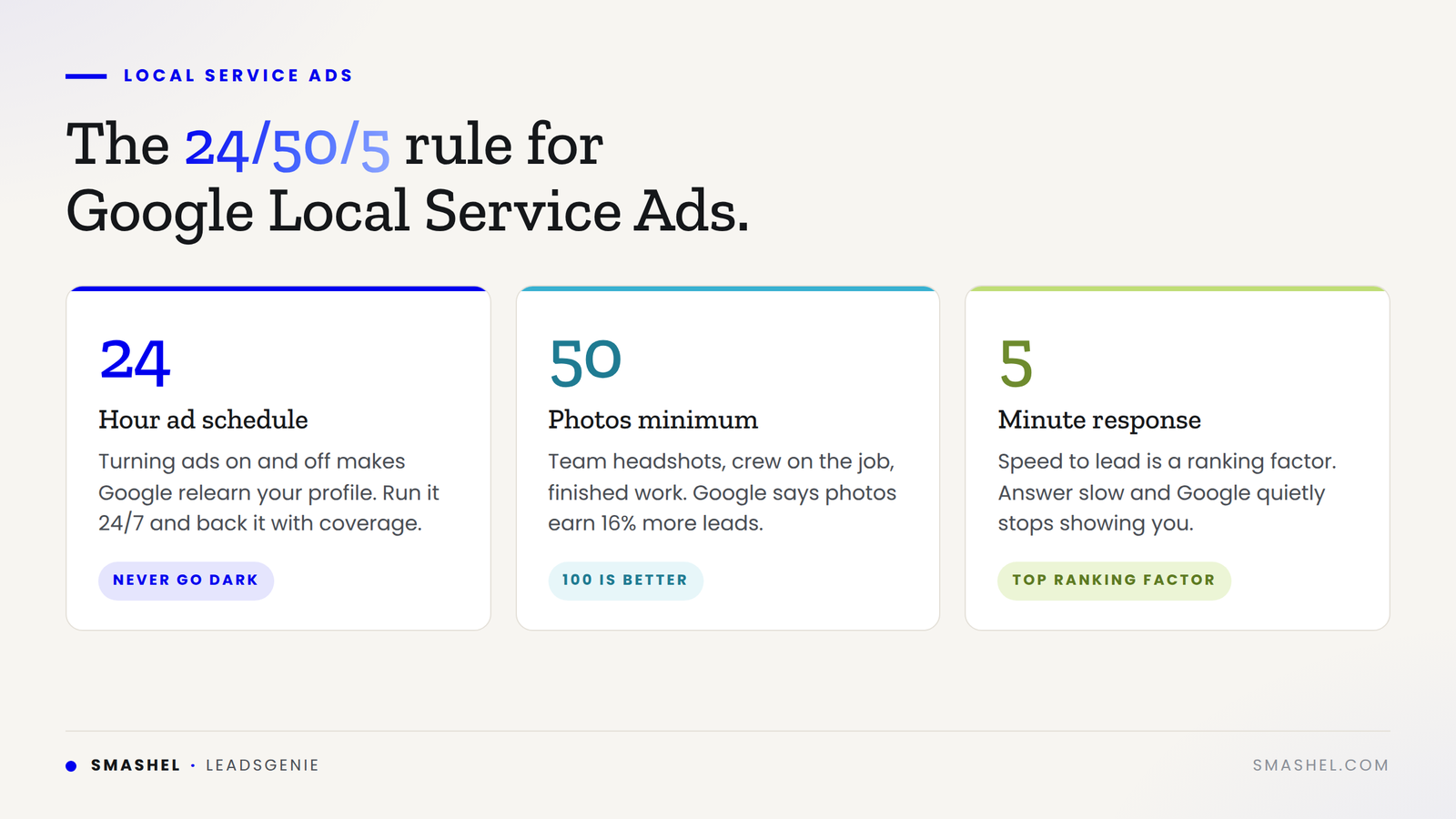
If you want to know how to optimize Google Local Service Ads without guessing, there is one rule that beats every other tip out there. Call it the 24/50/5 rule: a 24/7 ad schedule, 50 photos minimum, and a 5-minute response time. Those three settings map directly to the biggest signals Google scores you on.

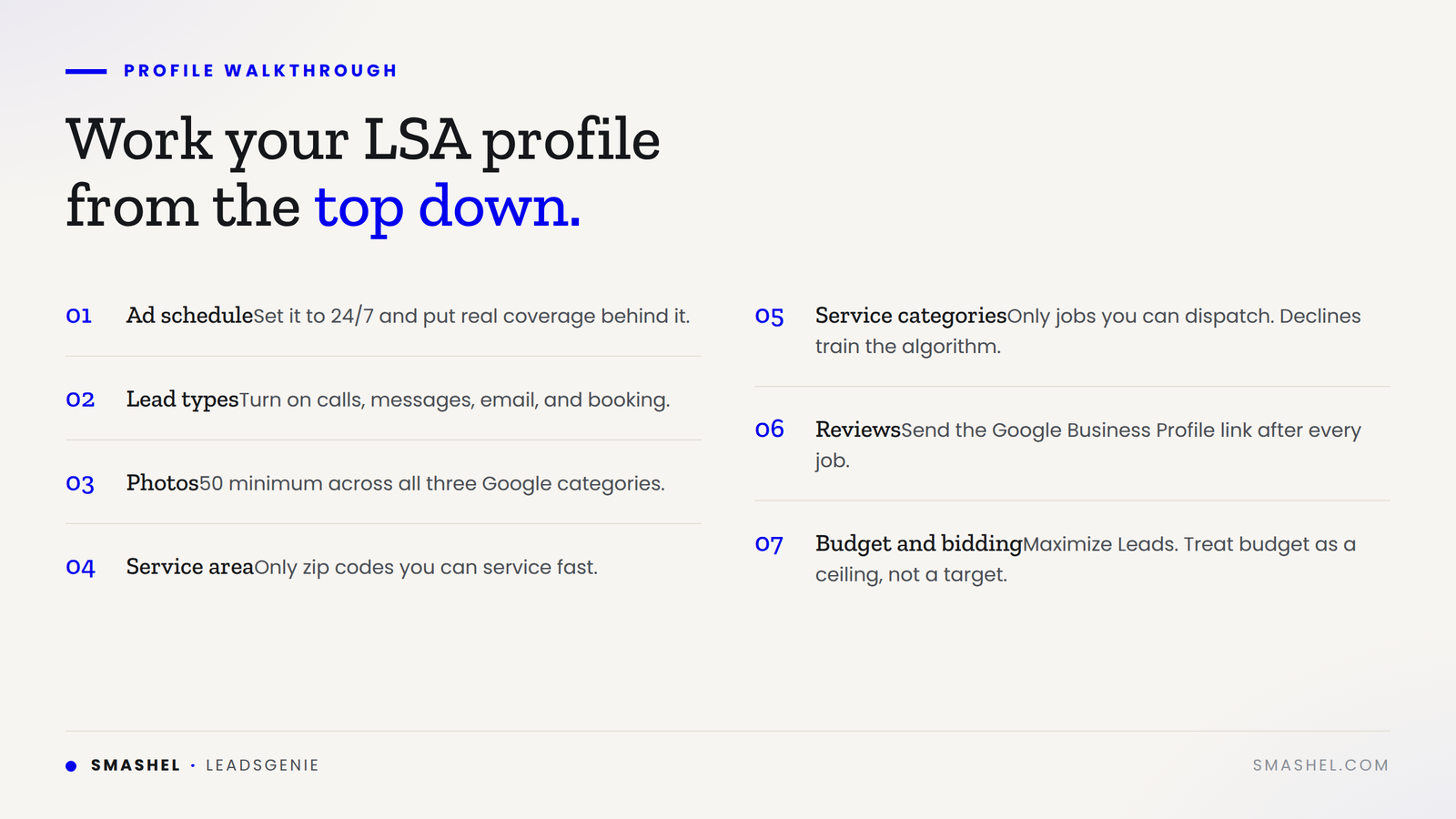
Below is a walkthrough of your LSA profile from the top down, plus the settings that quietly decide whether your ads get shown at all.

LSAs Are a Ranking Algorithm, Not a Billboard

Back in the Yellow Pages era, you bought the biggest ad in the book, paid extra for color, and made sure somebody answered the phone. The businesses that dominated were not always the best. They were the ones who understood the platform.

Local Service Ads work the same way, except Google is grading you in real time. Your placement is decided by how fast you respond, how complete your profile is, how you handle the leads Google sends you, your reviews, and your answer rate.

Most businesses never got that memo. They still treat LSA like a billboard: pay the money, get the leads. That is why their lead flow dried up.

The 24/50/5 Rule for Optimizing Google Local Service Ads

The rule is built around the three signals with the most leverage:

  • 24 = a 24/7 ad schedule
  • 50 = at least 50 photos on your profile
  • 5 = a five-minute response time to every lead

Nail all three and Google treats you like a top-tier provider. Miss any one of them and you quietly disappear from the results.

1. Set Your Ad Schedule to 24/7

This is the first setting at the top of your profile, and it is where most contractors go wrong. They set it to business hours, 8 to 5, Monday through Friday, and think they are being smart. Why pay for leads when nobody is there to answer?

It is the wrong move.

Every time your ad turns on and off, Google's algorithm has to relearn your profile. It never fully optimizes you, so your lead flow stays slow and choppy. Run it 24/7 and Google can ramp you to full speed. Impressions stabilize. Rankings climb.

The catch: you cannot claim 24/7 without coverage

Here is the part people skip. 85% of people whose calls go unanswered will not call back. They dial the next contractor on the list.

Worse, Google tracks your answer rate as a ranking signal. A missed call does not just cost you that lead. It hurts your placement going forward.

So before you flip the switch, put coverage behind it:

  • A 24/7 answering service
  • An AI receptionist that picks up after hours
  • At minimum, a rotation so someone real answers overnight calls

That way you check the 24/7 box without bleeding missed calls.

2. Upload at Least 50 Photos

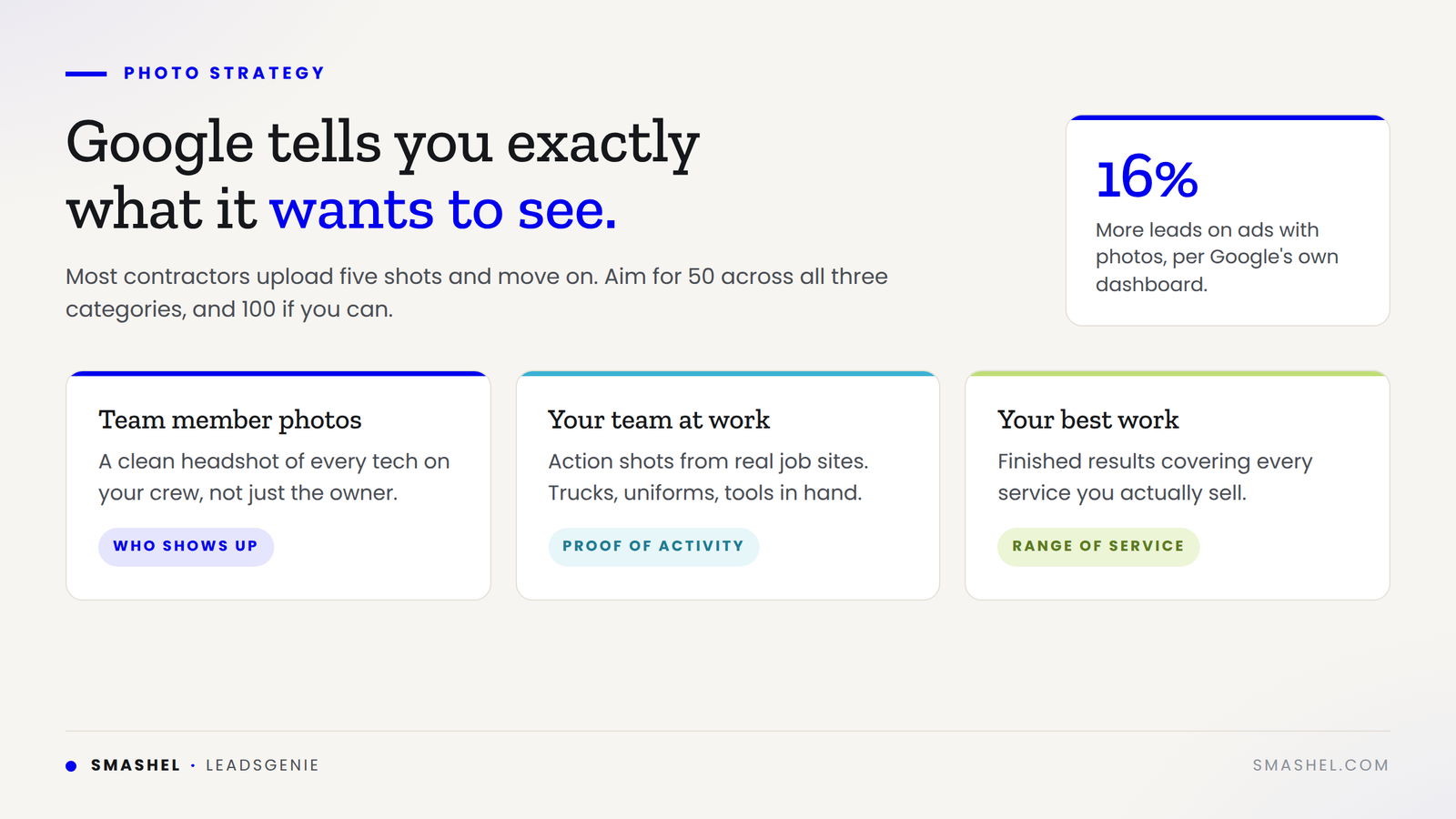
Google tells you exactly what it wants here. The stat is printed right in your dashboard: ads with photos earn 16% more leads.

Most contractors upload four or five shots and move on. That is not enough. Aim for 50. A hundred is better.

Do not dump random images in there either. Google lays out three categories it wants to see:

  1. Team member photos. A headshot of every tech on your crew.
  2. Your team at work. Action shots on the job site.
  3. Your best work. Finished results covering every service you offer.

Photos are not only a lead driver. Google's own ranking documentation says higher quality profiles, including ones with images, can rank higher and pay lower costs per lead. More leads at a lower cost per lead is an easy yes.

There is a stacking effect too. Profiles with strong photos and 20 or more reviews pull roughly 35% more leads than profiles with weak photos and fewer than 10 reviews. The full profile matters, not one piece of it.

If you only have five or ten photos live right now, this is the easiest fix on this list. Take pictures today. Upload them tonight.

3. Respond to Every Lead in Five Minutes

Speed to lead is the factor that quietly decides everything. Google's official ranking documentation lists it as a top factor, described as how likely your ad is to result in a lead. The way they measure it is your response time and your missed call rate.

Most businesses ignore it completely. They let leads sit for hours, then wonder why Google stopped showing their ads.

What the response time data shows

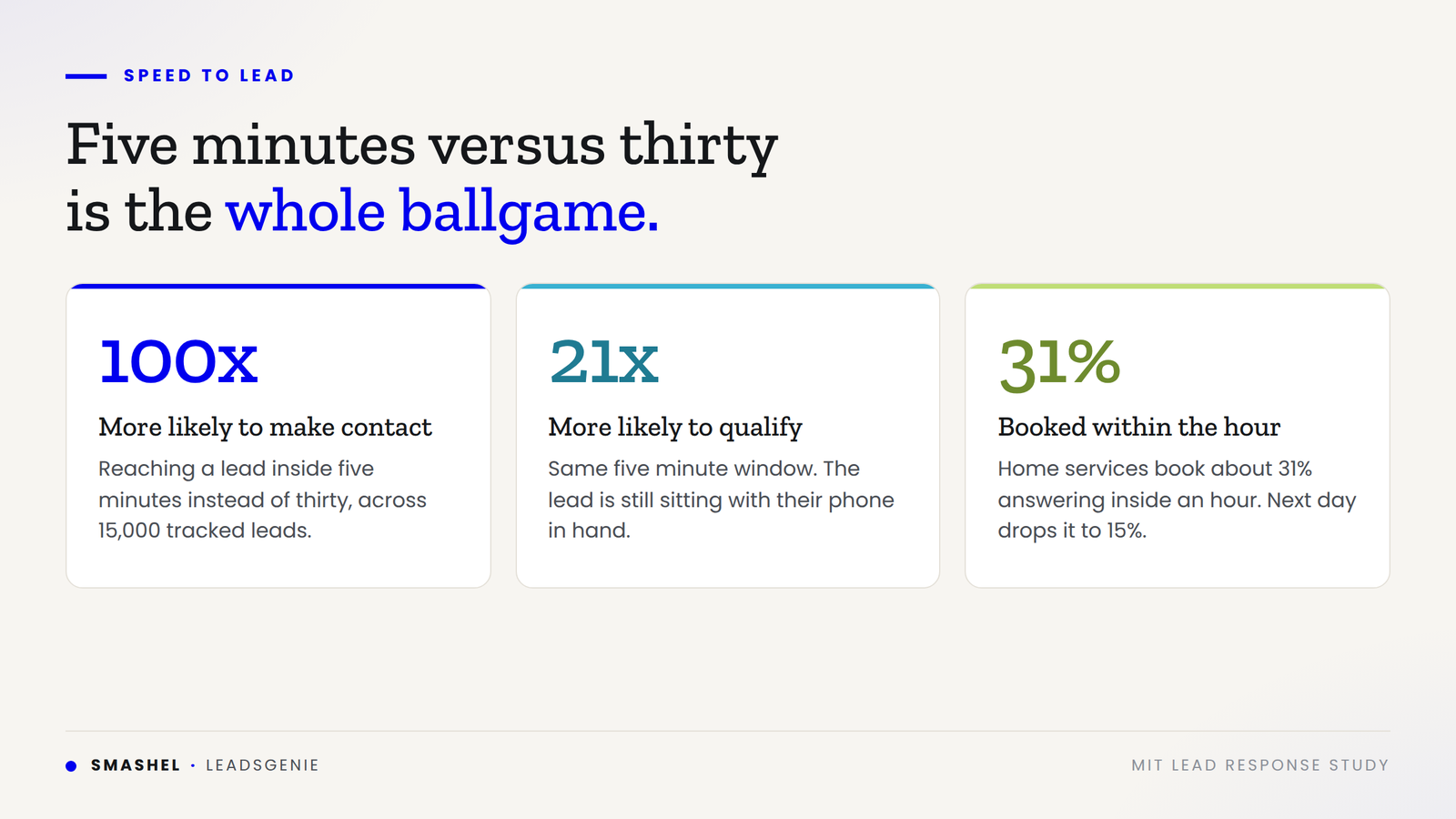
  • An MIT study that tracked more than 15,000 leads found that contacting a lead within five minutes instead of thirty makes you 100 times more likely to make contact and 21 times more likely to qualify them.
  • In home services specifically, contractors who answer within an hour book about 31% of their calls. Wait until the next day and that drops to roughly 15%. You cut your booking rate in half just by being slow.

Turn on every lead type

Inside your settings, enable all of them:

  • Phone calls
  • Message leads
  • Email leads
  • Booking leads

If you run a system that allows direct booking into your profile, sync it up. The more ways a customer can reach you instantly, the better you rank.

The honest problem is that most contractors physically cannot respond in five minutes. You are on a job site, your hands are dirty, and your phone is in the truck. That is why AI receptionists and chat tools have become the practical answer. They pick up every time, qualify the lead, and book the appointment while you are still under somebody's sink.

Tighten Your Service Area and Categories

Most contractors check off every zip code they can possibly dispatch to, assuming more area equals more leads. That used to work.

In early 2025, Google eliminated the credit system for geo-not-serviced leads. Before, if Google sent you a lead outside your service area, you could dispute it and get your money back. Now you pay full price every time.

So tighten it up:

  • Only include zip codes you can service quickly
  • Only check job categories you can dispatch fast
  • Drop anything you routinely decline

Every lead you decline trains the algorithm to show you less. Anything outside your real service radius is lighting money on fire.

Reviews Are Your Second Biggest Ranking Factor

After response time, reviews move the needle more than anything else you control.

BrightLocal studied over 5,500 local searches and found that a 4.5-star provider in the third position beat a 3.6-star provider in first position. The stars mattered more than the spot.

A few things to know:

  • The unofficial floor for ranking in the top three is around 4.8 stars.
  • Recency counts. A company with five fresh reviews can outrank a twenty-year-old business sitting on fifty old ones.
  • As of July 2025, all LSA reviews are managed through your Google Business Profile, not the LSA dashboard.

Grab your Google Business Profile review link and send it to every customer the second the job wraps.

Budget and Bidding: Treat Your Budget Like a Ceiling

Inside your bidding settings, Google recommends Maximize Leads, their automated option. Their data shows profiles using Maximize Leads pull more leads than profiles with the same budget on manual bidding.

Two things to plan for:

  • It takes about two weeks for the algorithm to learn.
  • You need at least 10 leads per week for it to optimize properly.

The mechanic that catches people out: Google can spend up to twice your daily budget on a high-demand day. Set your weekly budget too low and you burn through it in three days, then go dark while your competitors keep showing.

Treat your budget as a ceiling, not a target. Give it enough room to ride out the busy days.

How to Apply This This Week

Work top to bottom through your profile:

  1. Change your ad schedule to 24/7 and line up an answering service or AI receptionist before you do.
  2. Take and upload photos today. Team headshots, crew on the job, and finished work across every service you sell. Get to 50, then keep going.
  3. Turn on every lead type, including message, email, and booking leads, and sync your booking system.
  4. Audit your service area, removing every zip code you cannot reach fast.
  5. Trim your service categories down to the jobs you can dispatch quickly.
  6. Send your Google Business Profile review link to every customer at job completion, starting with the last thirty days of jobs.
  7. Switch bidding to Maximize Leads and raise your weekly budget enough to stay live all seven days.

If you want help auditing an existing account, we cover our full Local Service Ads management process here.

Frequently Asked Questions

  • How many photos should you have on Local Service Ads?

    At least 50, and 100 is better. Google says ads with photos earn 16% more leads, and it wants three types specifically: team headshots, your crew at work, and finished results from every service you offer.


  • Why am I not getting leads from my Local Service Ads?

    The usual culprits are a limited ad schedule, a thin photo library, and slow response times. Google grades your profile in real time, so a profile that only runs 8 to 5 with five photos and a poor answer rate gets shown less no matter what you spend.


  • Does the ad schedule really need to be 24/7?

    Yes, as long as you have coverage. Turning ads on and off forces Google's algorithm to relearn your profile, which keeps your lead flow choppy. Claiming 24/7 without someone answering is worse than limited hours, because missed calls hurt your ranking.


  • What is the best way to improve speed to lead as a contractor?

    Route calls and messages to a 24/7 answering service or an AI receptionist that can qualify and book while you are on a job. Also turn on every lead type in your settings so customers can reach you the way they prefer.


  • Do Local Service Ads reviews come from Google Business Profile?

    As of July 2025, yes. All LSA reviews are managed through your Google Business Profile, so use that review link rather than looking for a separate one in the LSA dashboard.


Start With the One You Are Failing

Pick the piece of the 24/50/5 rule you are furthest behind on and fix it this week. For most contractors, that is photos, and it takes an afternoon.

Watch the full profile walkthrough in the video above to see each setting in the dashboard, and if you would rather have someone run it for you, take a look at our Local Service Ads services.

Ben Hutson, attorney, on how AI intake booked a case while he was hiking
By Albert Quintero July 14, 2026
Most law firm marketing fails at the phone, not the ad. See how a Gainesville attorney fixed his intake and got retained from a mountain in South Carolina.
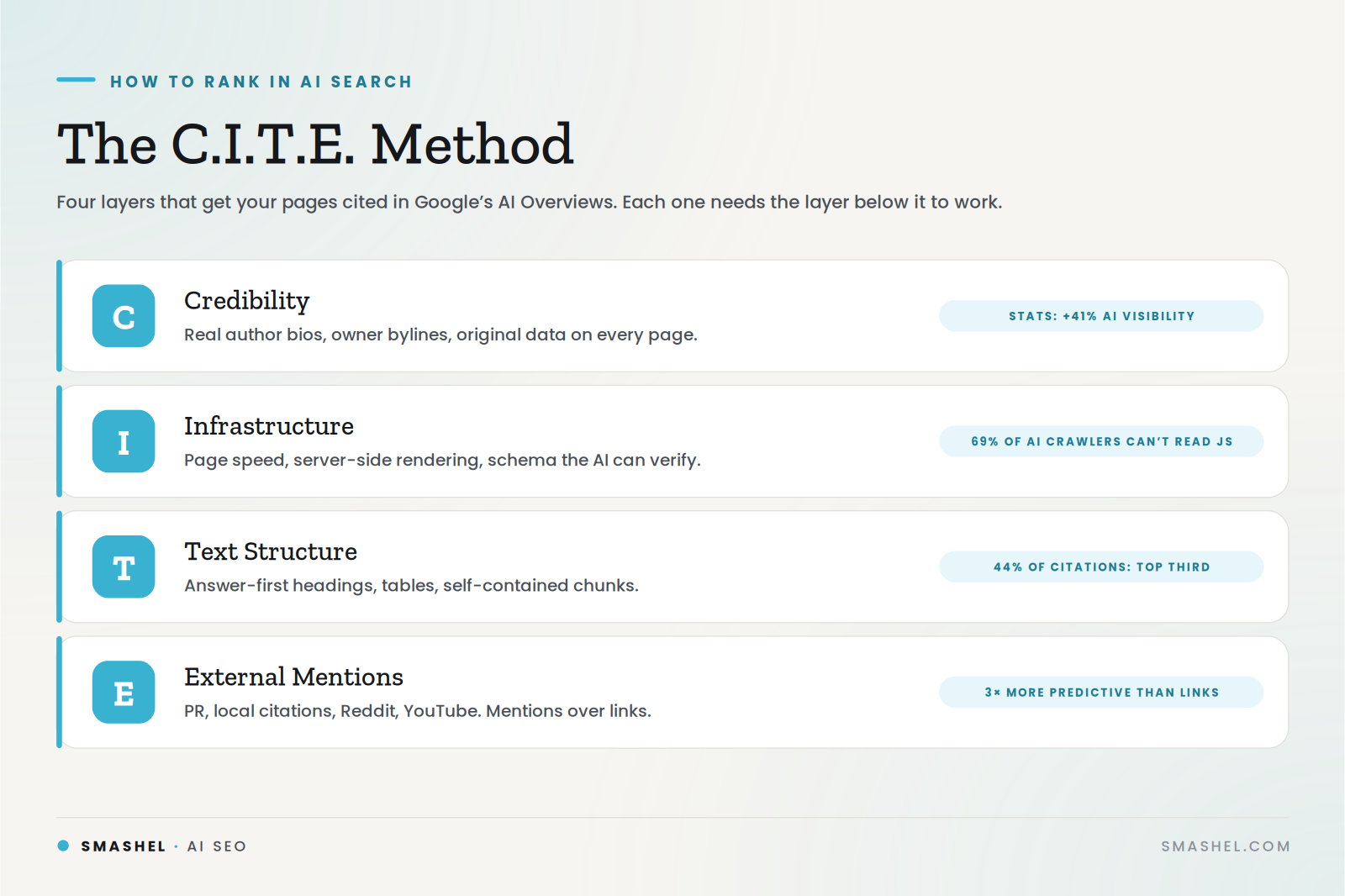
The C.I.T.E. Method for how to rank in AI search: credibility, infrastructure, text structure, external mentions
By Albert Quintero July 12, 2026
Learn how to rank in AI search with the C.I.T.E. Method: credibility, infrastructure, text structure, and external mentions that get your pages cited.

How to rank your business on Google Maps in 2026
By Albert Quintero July 5, 2026
Rank your business on Google Maps in 2026 with the two signals that matter most: navigation and calls. Learn how to drive both and win the local pack.
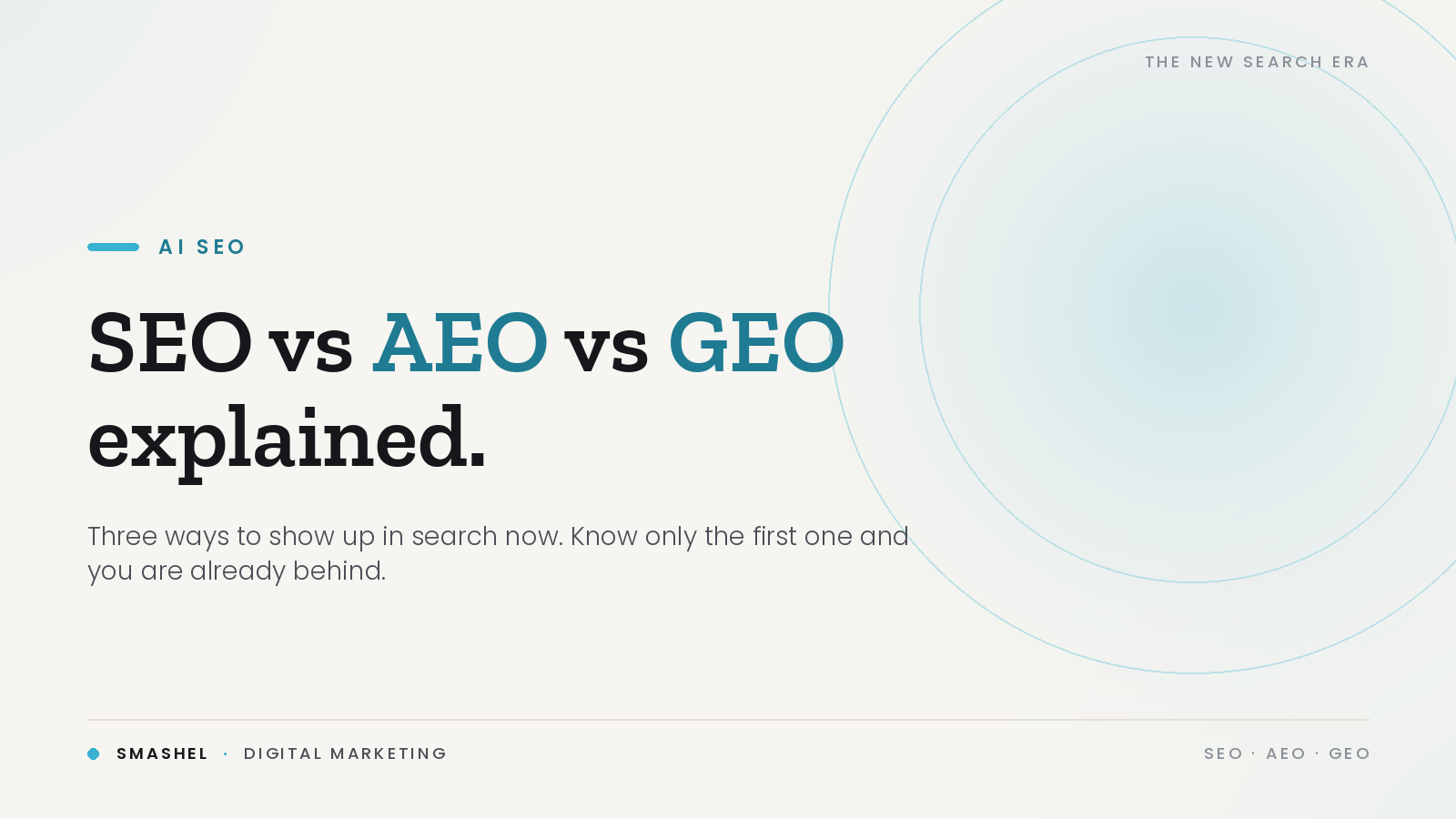
SEO vs AEO vs GEO Explained
By Albert Quintero June 14, 2026
AI SEO means showing up across SEO, AEO, and GEO, not just Google rankings. See how the three work and how to get found as search shifts to AI.
 book)How a flow-based AI receptionist is built
By Albert Quintero June 11, 2026
An AI receptionist for a law firm can book cases 24/7 or create liability. Here's how flow-based agents answer every call and only ever say what's true.
Law firm marketing funnel showing paid leads leaking out through the intake gap
By Albert Quintero June 6, 2026
Most law firm marketing fails at intake, not leads. See how the Intake Gap quietly loses clients and the simple AI fix that catches every call.
Diagram of how to stop missing calls in a business with an after-hours AI receptionist workflow
IMAG
By Albert Quintero May 31, 2026
Stop missing calls in your business and losing paying clients. See how AI receptionists answer every call 24/7 and book leads automatically.